Transfer Learning
Transfer learning (TL) is a research problem in Machine Learning that focuses on storing knowledge gained while solving one problem and applying it to a different but related problem.
https://www.v7labs.com/blog/transfer-learning-guide
In the context of Computer Vision , it is very easy. Just use someone else’s pre-trained weights for a given model architecture. There are three ways to proceed:
- Freeze all the layers with the pre-trained weights and just change train the last softmax part of the layer on your own data (when You don’t have a lot of data) this is what we do, see example here
- Freeze some of the layers (You have some data)
- Don’t freeze any layers, simple use the pre-trained weights as initialization (You have lots of data)
Ex: Use a feature extractor that is already trained (such as VGG-16), and simply train your own classification network.
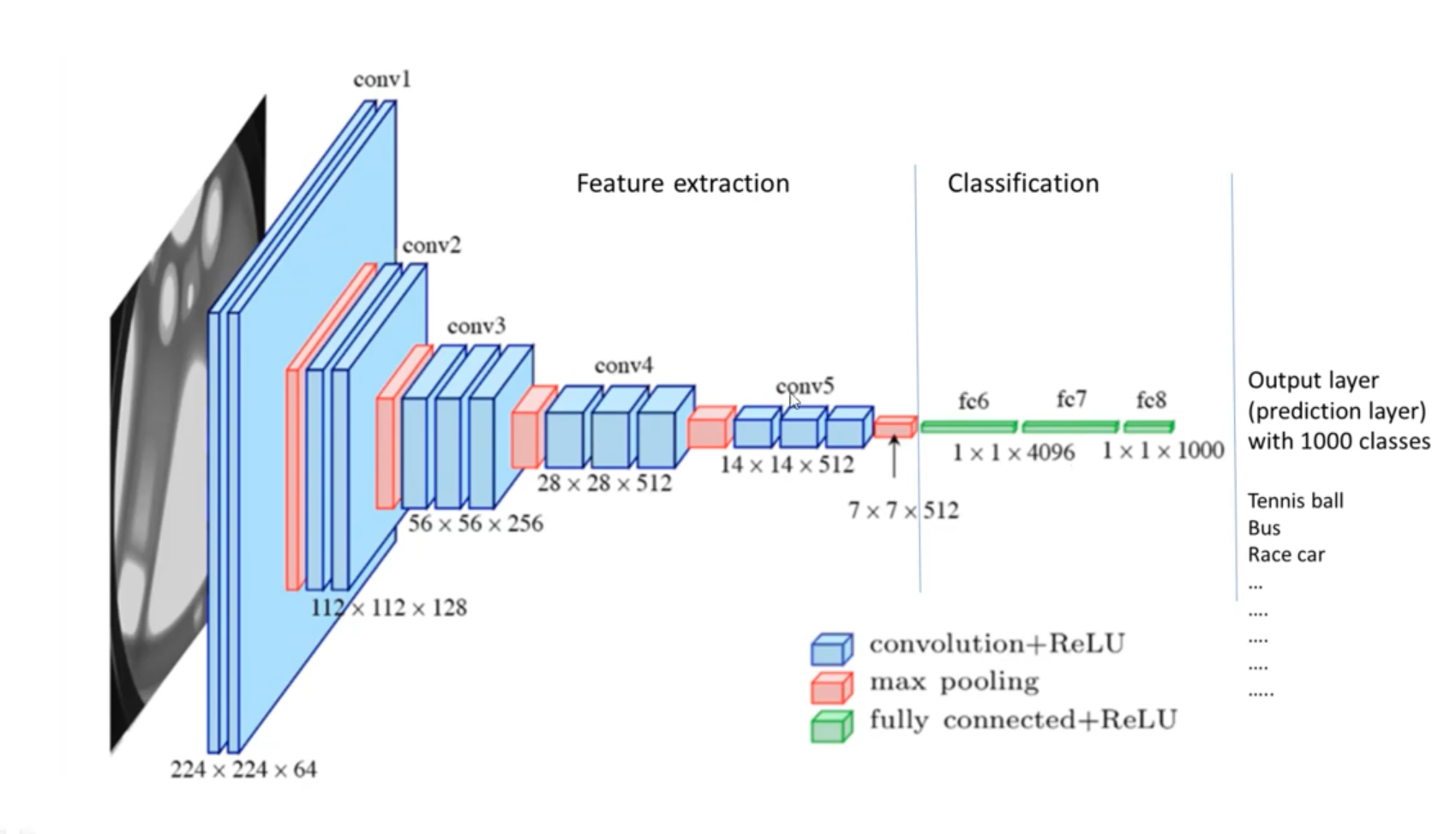
There are 6 simple steps for transfer learning:
- Obtain pre-trained model
- Create a base model
- Freeze layers
- Add new trainable layers
- Train the new layers
- Fine-tune your model
Concepts
Decision matrix (CS231n Lec 6)
When picking how much to freeze vs finetune, two axes matter: how similar the new dataset is to the pretraining set (e.g. ImageNet), and how much data you have.
| very similar dataset | very different dataset | |
|---|---|---|
| very little data | Linear classifier on the final feature layer | Try a different pretrained model, or collect more data |
| quite a lot of data | Finetune all layers | Finetune all layers, or train from scratch |
Why the layer hierarchy matters: early conv layers learn generic features (edges, textures — Gabor-like) that transfer to almost any image task. Later layers learn dataset-specific class templates that don’t transfer. So with little data, you reuse all of the pretrained net and only retrain the final FC head.
Workflow (concrete):
- Train (or download) a model on ImageNet — VGG, ResNet, etc.
- Replace the final FC layer (1000 classes → C classes), reinit it.
- Either freeze everything below the new head (small data), or unfreeze and finetune the whole net at a small LR (more data).
Takeaway: if your dataset has fewer than ~1M images, don’t train from scratch — find a large similar dataset, train (or pull a pretrained model) there, then transfer. PyTorch’s model zoo and HuggingFace pytorch-image-models cover most architectures.
Source
CS231n Lec 6 slides 79–87 (feature visualization, transfer workflow, dataset-similarity × data-size matrix, model zoo takeaway).